7CG 2.0.0-beta.19 is out

7CG v2.0.0-beta.19 is out today. If you're already on a 2.x beta, the auto-updater should pull it the next time you launch the app.
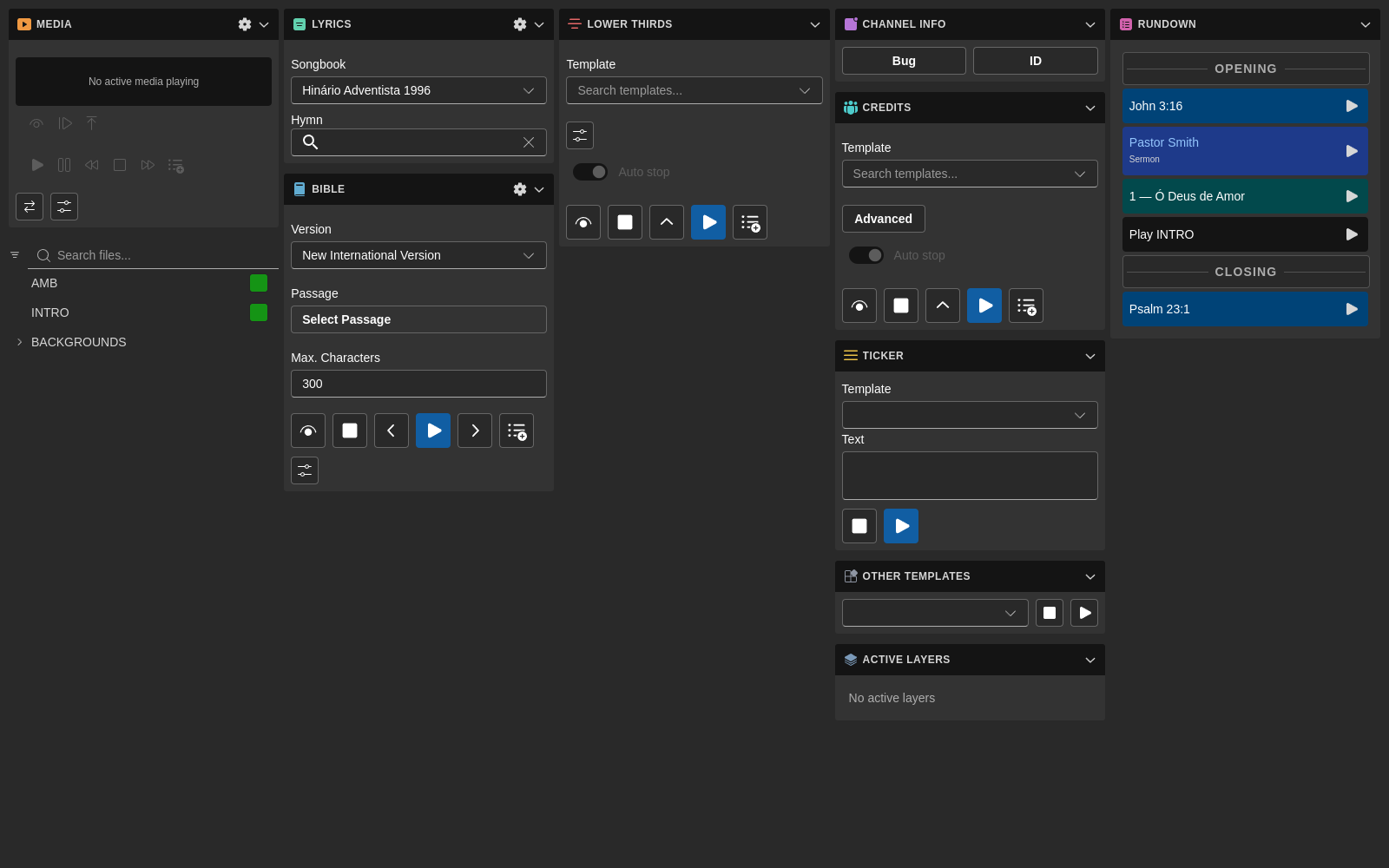
This is the release that brings all the 2026 work together: modular workspace, Companion overhaul, rundown video export, Bible passage preview, and a long tail of polish. It's also the first build going out through the new automated release pipeline, so future betas should land faster.
What's in it
The big-ticket features have been documented separately in What's New in 7CG: 2026 Edition, so this post is intentionally short. The headline items:
- Customizable workspace: drag, resize, hide, and save layout presets from View → Customize Layout
- Companion 2.0: PIN pairing, mDNS auto-discovery, per-item Execute/Stop actions, parameterized solid-color actions
- Rundown video export: export an entire rundown to a video file with a Stop button to cancel mid-export
- Undo / Redo in the rundown: Ctrl+Z and Ctrl+Shift+Z (Cmd on Mac)
- Bible passage preview: see verse text inline as you pick a passage
- Layer occupancy view: spot CasparCG layer conflicts before they hit air
- In-app toast notifications with proper localization (English, Portuguese, Spanish)
Getting it
If you're already on a 7CG 2.x beta, the auto-updater will pull beta.19 the next time you launch the app. Each update is a complete installer for your platform (Windows .exe, macOS .dmg, or Linux .AppImage / .deb / .snap), so there's nothing else to do once it lands. New to 7CG? Download a first install from 7cg.io.
Known limitations
This is still a beta. A few things to keep in mind:
- macOS builds are not notarized in this release. You'll need to right-click the app and choose Open the first time to bypass Gatekeeper.
- Windows builds are not code-signed yet, so SmartScreen will warn on first launch. Click More info, then Run anyway.
Reporting bugs
If something breaks, post in the 7CG WhatsApp group with your OS, the version string from Help → About, and the steps to reproduce. The renderer log lives at:
- Windows:
%APPDATA%\7cg\logs\ - macOS:
~/Library/Logs/7cg/ - Linux:
~/.config/7cg/logs/
Attaching the most recent log file will speed up triage.
Thanks for testing. This release has been a long time coming, and the next one will be much shorter.