What's New in 7CG: 2026 Edition

The features described here ship in 7CG v2.0.0-beta.19, available now via auto-update. See the release announcement for details.
A lot has landed in 7CG since the start of 2026. This post covers the highlights: a fully customizable workspace layout, rundown video export, a reworked Companion integration, and a pile of polish and reliability fixes.
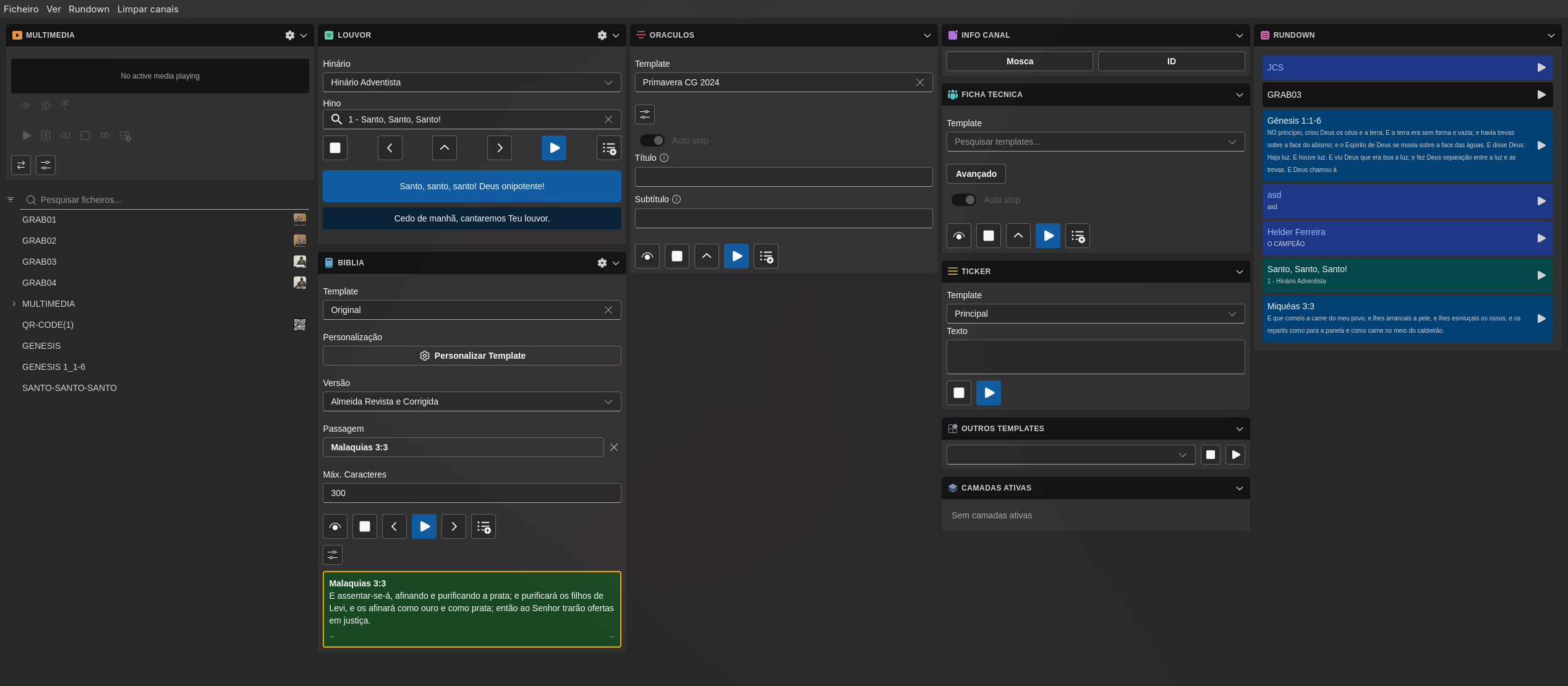
Customizable Layout
The biggest change in this release is a completely new workspace layout system. The main window is now divided into resizable columns, and every module (Rundown, Lyrics, Bible, Control, Media, Lower Thirds) can be dragged into any position.
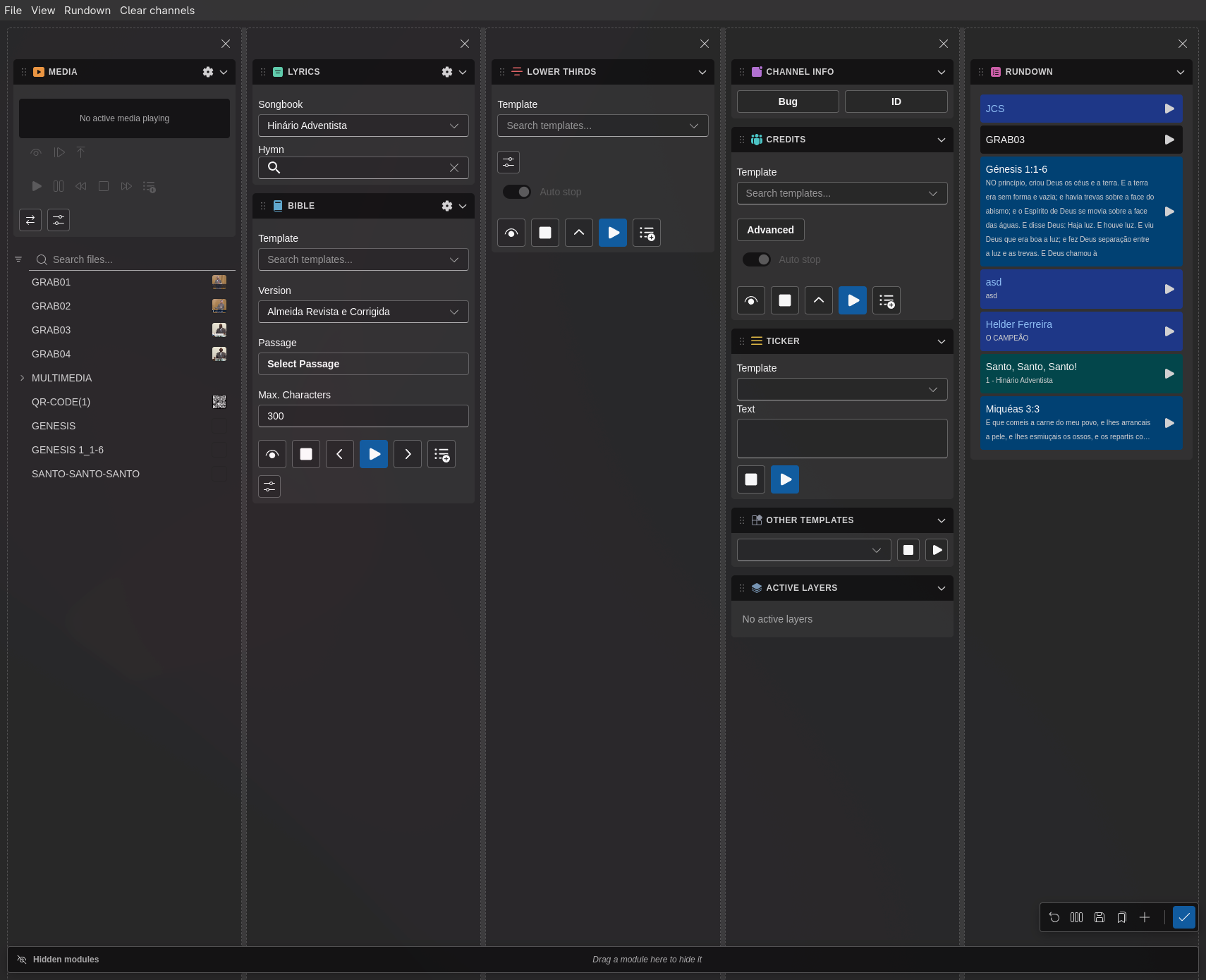
To enter edit mode, open View → Customize Layout. From there you can:
- Drag modules by their title bar handle to reorder or move them between columns
- Add and remove columns with a single click
- Distribute equally to snap all columns to the same width
- Hide modules you don't need. They park in a rail at the edge and can be restored any time
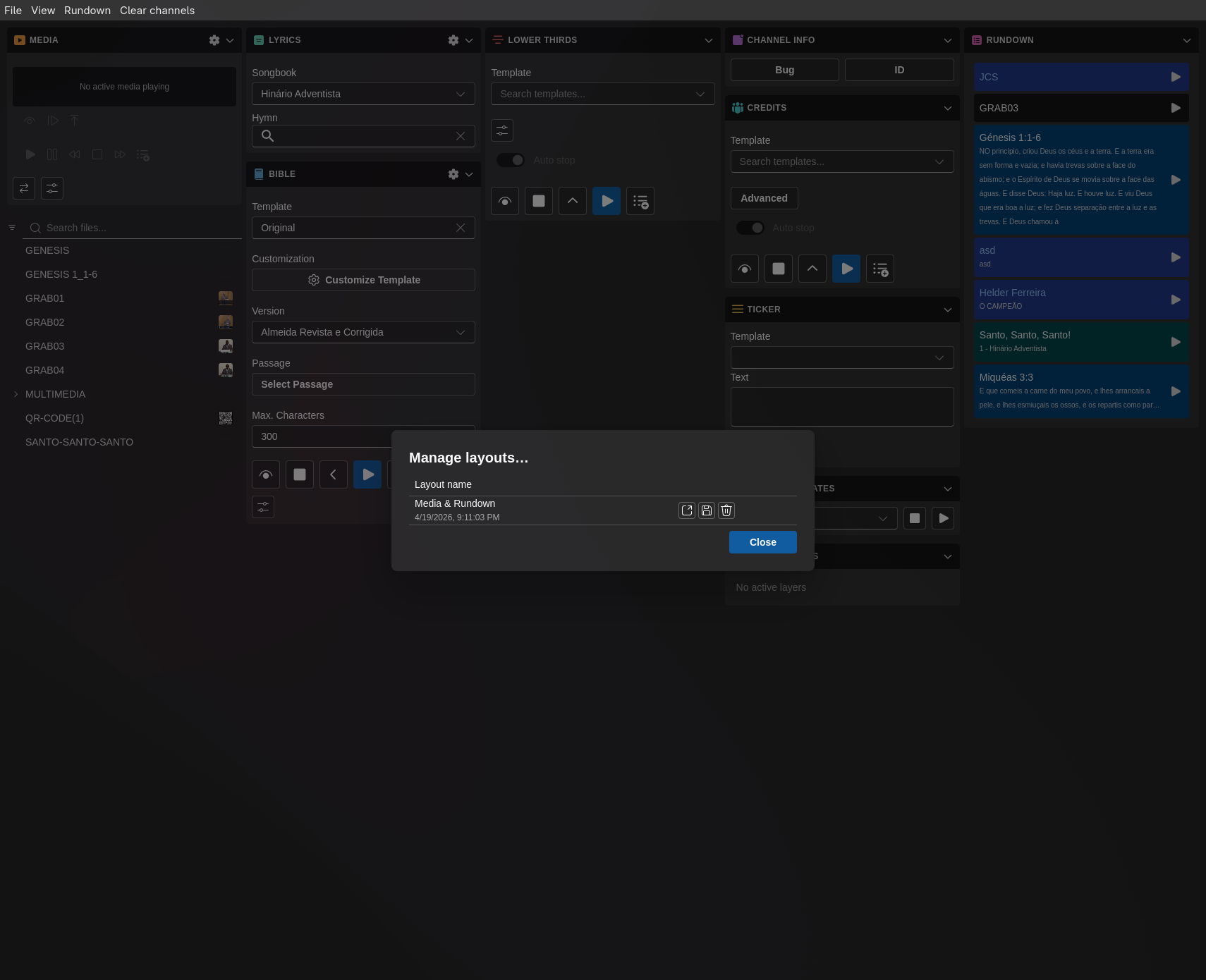
- Save named presets via View → Layouts so you can switch between a single-operator view and a multi-screen setup in seconds
Column widths, module order, and collapse state all persist across restarts.
Rundown Video Export
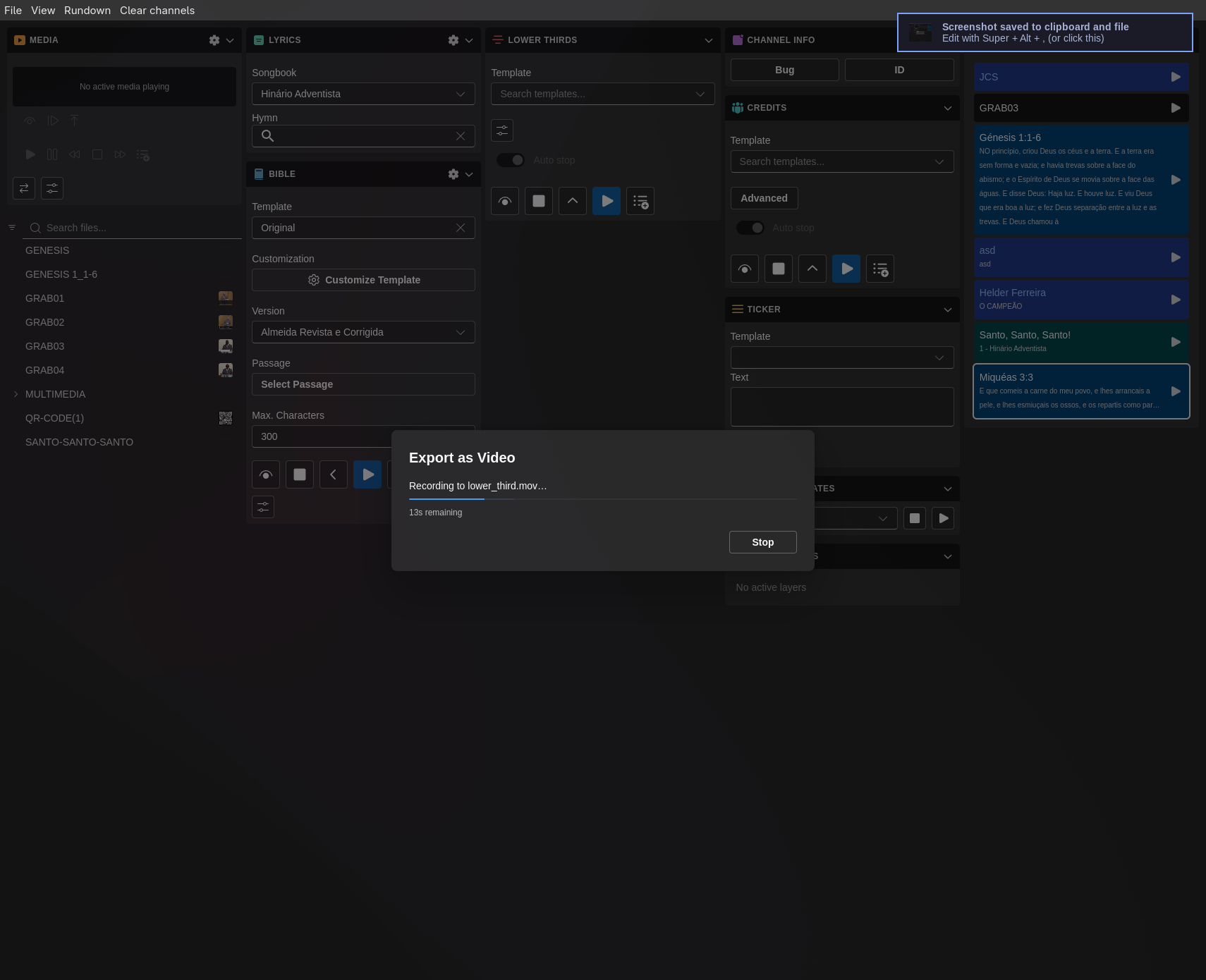
You can now export an entire rundown as a video file directly from 7CG. The exporter steps through each block, sends it to CasparCG, captures the output, and assembles the result into a single file. Bible and hymn blocks cycle through all their chunks automatically so nothing gets cut off.
A Stop button lets you cancel a running export mid-way, and all export progress messages are now shown as in-app toast notifications.
Companion Integration Overhaul
The Bitfocus Companion integration received a major upgrade:
- mDNS advertisement: the WebSocket server now broadcasts itself on the local network so the Companion plugin can discover 7CG without manual IP entry.
- PIN pairing: instead of a shared auth token in the config file, each Companion device now pairs with a PIN. Sessions are tracked per device, so revoking one device doesn't affect others.
- Execute / Stop by ID: two new actions,
rundown:execute-idandrundown:stop-id, let you target a specific rundown item by its ID. The Companion UI shows a dropdown populated with the live rundown so you always pick from what's actually loaded. - Broader state surface: the state broadcast to Companion now includes more rundown and playback data, keeping button labels and feedbacks in sync in real time.
- Solid-color actions: parameterized actions let Companion change the on-air solid color without needing a separate action per color.
Layer Management
Every module (Media, Bible, Lyrics, Lower Thirds, Credits, QR Code) now has an explicit default CasparCG layer. The Advanced dialog for each block shows which layer it will use, and a new layer occupancy panel in the Control section gives a live view of what is playing on each layer so you can spot conflicts before they happen on air.
Bible & Lyrics Improvements
- Verse preview: when picking a Bible passage in the block dialog, the verse text now appears inline so you can confirm you have the right reference before inserting it.
- Bulk verse editing: you can now edit multiple verses at once in the Lyrics editor instead of opening each one separately.
- Lines per display: a new setting on both Hymn and Lyrics modules controls how many lines are shown on screen at a time.
UI Polish
- Every module header now has a colored icon matching its content type, making it faster to orient yourself in a dense layout.
- A chrome stripe along the top of the window animates to indicate the CasparCG connection state: green when connected, amber when reconnecting.
- App notifications are now routed through Fluent UI toasts rather than system notifications, so they appear inside the window and dismiss automatically.
- Transition settings and Advanced dialogs have been tightened up: icon-only buttons where labels were redundant, better localization across Portuguese and English.
All of the above ships in v2.0.0-beta.19, available now via the in-app auto-updater. If you need a fresh install, get in touch with the team.