Interface
Customize the visual appearance and the modules that operators see in the main workspace.
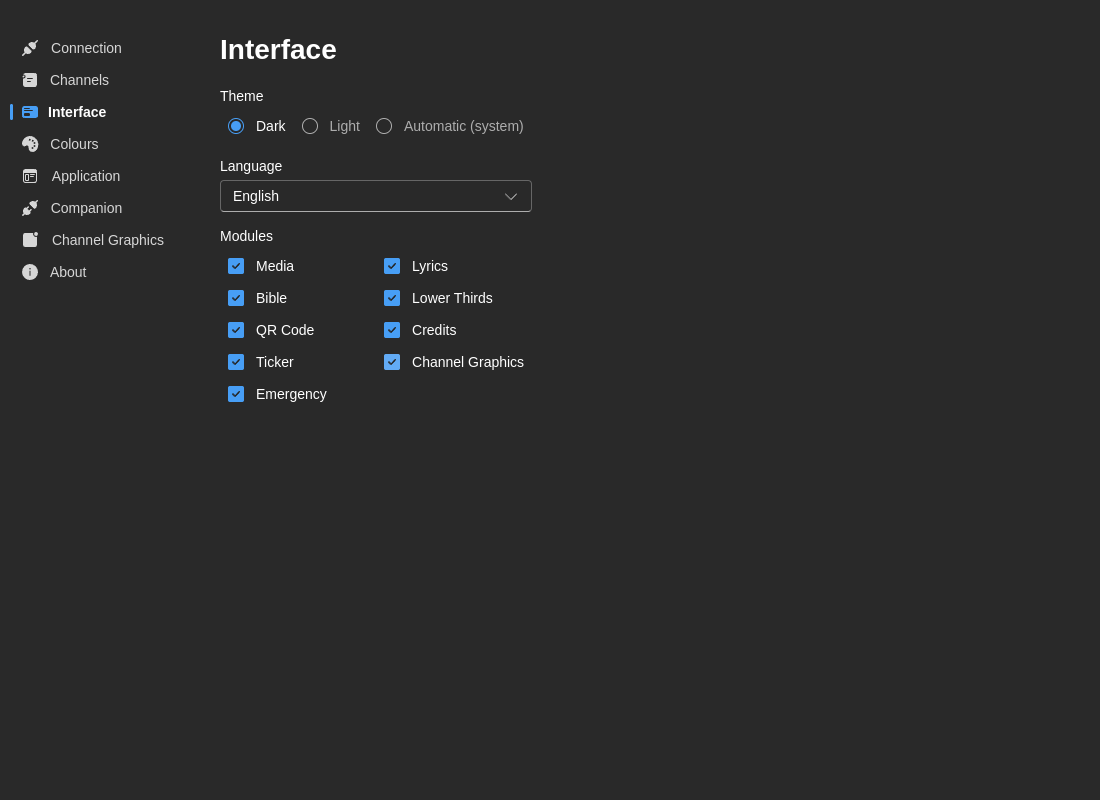
Theme
Choose your preferred color scheme:
- Dark - Dark theme optimized for low-light environments
- Light - Light theme for bright environments
- System - Follow your operating system's theme preference
:::tip Best Practice Most broadcast environments use Dark theme to reduce eye strain during long production hours. :::
Language
Select your preferred interface language:
- English (en)
- Português (pt) - Portuguese
- Español (es) - Spanish
Language changes apply immediately to all interface elements, including:
- Menu items and buttons
- Dialog boxes
- Status messages
- Form labels
Modules
Control visibility of specific modules and features:
- Media - Video, image, and audio playback
- Lyrics - Song lyrics and hymnal system
- Hymn - Dedicated hymn block module
- Bible - Scripture display
- Lower Thirds - Name and title graphics
- QR Code - QR code generator blocks
- Credits - Production credits and acknowledgments
- Ticker - Scrolling text ticker
- Channel Graphics - Channel-specific graphics
- Layers - Live view of CasparCG layers in use
- Emergency - Emergency alert system
Module visibility changes apply immediately and are useful for simplifying the interface for a given operator or event.
How Interface Visibility Relates to Layouts
Interface visibility and layout customization are related, but they are not the same thing:
- Interface → Modules controls whether a module is available at all
- Layouts controls where visible modules are placed, hidden temporarily, or grouped into saved presets
If you need to rearrange columns, hide modules temporarily, or save role-specific workspaces, see Layouts.
Operator Recommendations
Some common setups:
- Lyrics operator - Keep Lyrics, Bible, Rundown, and Media visible
- Graphics operator - Keep Lower Thirds, Channel Graphics, Credits, and Rundown visible
- Technical director - Keep most modules visible and use layout presets for different show phases
Notes
- Theme changes apply across the application
- Language changes are immediate
- Module visibility is stored per installation and persists across restarts